
Maintenance
5 August 2026 / 00:00 - 22 August 2026 / 23:00
The BIOS update protects the workstation against potential security risks, including vulnerabilities, malware, and exploits. In addition, the BIOS update helps resolve stability issues related to hardware compatibility and driver support for new versions of the operating system.
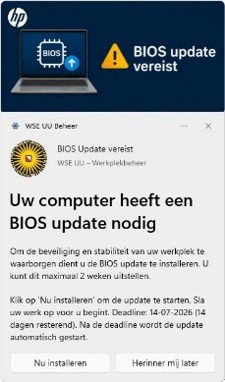
The BIOS update installation script runs every day. However, users can also initiate the BIOS update through the Software Center. Once the BIOS has been updated to the latest version, the pop-up window will no longer appear. The update takes about 15 minutes.
Example of a pop-up: